Kalshi Perpetuals: 5 Checks Before You Trade
A full Kalshi perpetuals walkthrough: funding your perps account, sizing with leverage, finding your liquidation price, and exiting.

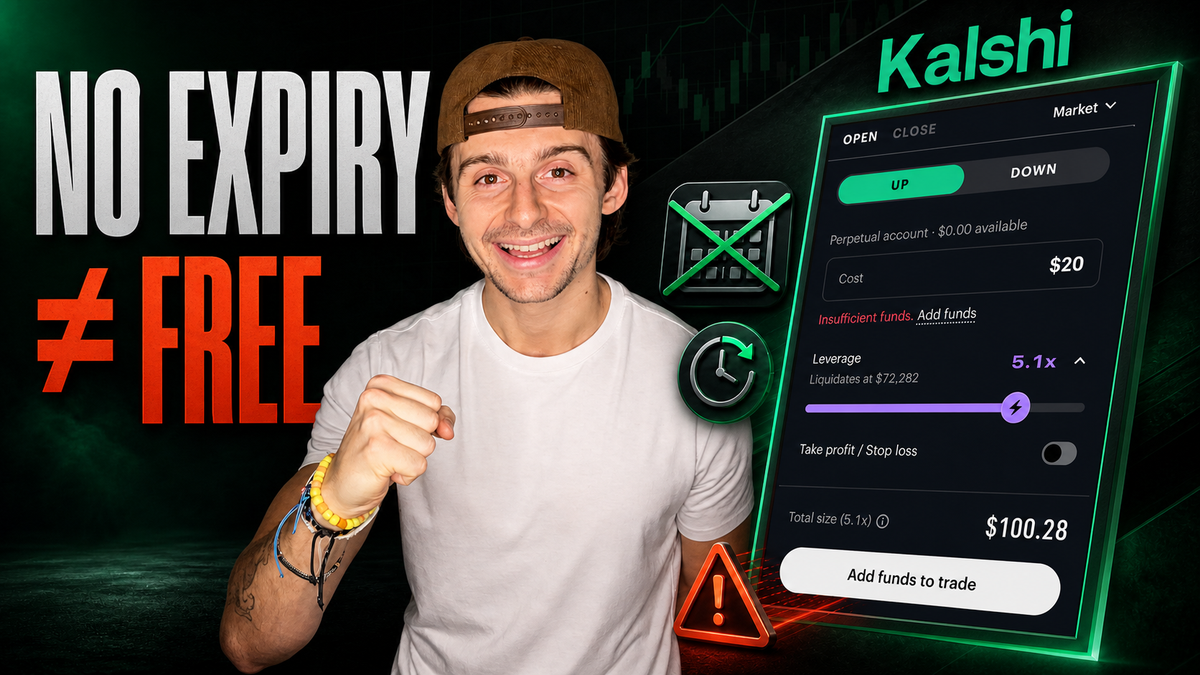
Kalshi now offers perpetual futures, which let you trade an asset up or down without worrying about expiration dates. No rolls, no contract calendar, no forced exits.
But here's what gets glossed over: just because there's no expiration doesn't mean Kalshi perpetuals are free to hold — or that the platform can't liquidate you before you get a chance to close. Funding, trading fees, and your liquidation price all matter.
This is a complete walkthrough of a real trade. Funding a perps account, placing a max-leverage position on the desktop platform, protecting it with a stop and a target, closing it, and verifying exactly what happened afterward.
We'll run it through five checks: understand, choose, fund and size, check the risk, then trade and verify. And there's one number you should never submit an order without looking at first.
Disclosure: Kalshi is the platform used for this walkthrough. Kalshi did not pay for this content, but the referral link on the video is an affiliate link and may earn a commission. Use it only if the product — and the risks covered below — genuinely make sense for you.
Table of Contents
- What Are Perpetual Futures?
- Prerequisites: What You'll Need
- Step-by-Step: Your First Kalshi Perpetuals Trade
- Understanding Your Liquidation Price
- Fees and Funding: What Holding Actually Costs
- Common Mistakes to Avoid
- Tips and Best Practices
- Frequently Asked Questions
- The Bottom Line
Key Takeaways
- A perpetual is still a futures contract — it just has no expiration date, so there's nothing to roll.
- Instead of rolling, you maintain margin. Stay above your requirement and you stay in the trade indefinitely.
- Perps use a separate margin account inside Kalshi, distinct from your prediction markets balance.
- Do not accept a 2% deposit fee. If you have a bank account connected, fund through the main account menu instead.
- Your liquidation price is the number to check before every order. Hit it and the platform can close you out immediately.
- Higher leverage means less room. Dropping from 3.5x to 2.5x moved the liquidation price dramatically further away in this example.
- Two separate costs exist: trading fees based on notional exposure (charged on open and on close) and funding, which is exchanged on a recurring cycle.
- Funding can push your liquidation price closer by eating into your margin over time.
- As of August 2026 the perps list is crypto only — Bitcoin at 6.1x, Ethereum at 4.8x, SOL at 3.5x. Expect this to change.
- Unrealized P&L is not realized P&L. Only the exit turns a number on the screen into money.
What Are Perpetual Futures?
A perpetual — or "perp" — is still a futures contract. The single difference that matters is that there is no expiration date, so you never have to exit or roll the contract the way you would with a traditional dated future.
You trade price movement in either direction, long or short, without owning the underlying asset. Instead of managing an expiration calendar, you manage one thing: maintain your margin requirement. As long as you can do that, you stay in the trade.
That makes perps genuinely interesting for swing traders, because a major barrier to entry — the roll — disappears entirely. Day traders can use them too, but the structural advantage is most obvious on multi-day holds.
How Leverage Works on Perps
The mechanics are simple once you see one example.
Post $100 with 2x leverage and you control roughly $200 of exposure. From there, a 1% move in the underlying asset becomes a 2% move against your posted margin — in either direction.
| Posted margin | Leverage | Exposure controlled | Effect of a 1% underlying move |
|---|---|---|---|
| $100 | 2x | ~$200 | 2% of your margin |
| $100 | 3.5x | ~$350 | 3.5% of your margin |
That amplification is the entire point of the product, and it's also the entire risk. The same multiplier that makes a small favorable move meaningful makes a small adverse move dangerous.
Perps vs. Dated Futures: The Real Trade-Off
It's tempting to read "no expiration" as pure upside. It isn't. You're trading one set of obligations for another.
| Factor | Dated futures | Perpetuals |
|---|---|---|
| Expiration | Yes — must exit or roll | None |
| Ongoing holding cost | None beyond commissions | Funding, exchanged on a recurring cycle |
| Primary risk to manage | Roll timing and contract price gaps | Funding drag and liquidation price |
| What keeps you in the trade | Rolling before expiry | Staying above your margin requirement |
The honest framing: it's not expiration versus nothing. It's expiring contracts versus ongoing funding plus liquidation risk.
Prerequisites: What You'll Need
Before placing a single order, get these in place:
- A funded Kalshi account with a bank account or payment method already connected
- A separate deposit into the perpetuals account — your prediction markets balance will not fund a perp trade
- Starting capital you can genuinely afford to lose. This walkthrough uses $100 at max leverage, which is a demonstration of mechanics, not a recommended position size
- The desktop platform. Everything below is shown on desktop
- About 15 minutes for your first trade if you're moving carefully and reading each number
- Skill level: beginner-friendly interface, but leveraged product. If you've never traded with leverage before, start well below the maximum
One important note on timing: this walkthrough reflects the platform as of August 2026. The available markets, the maximum leverage on each, and the fee structure can all change. Verify the live terms yourself before trading.
Step-by-Step: Your First Kalshi Perpetuals Trade
Nine steps from login to verified exit.
Step 1 — Find the Perps Section
Log into Kalshi and go to the top of your screen. You'll see Markets, and alongside it a section labeled Perps. That's the one you want — it's entirely separate from the event contracts side of the platform.
Step 2 — Choose Your Market and Leverage
The perps list is crypto only at the time of writing. Expect this to expand, and expect the leverage figures to move.
| Market | Max leverage (August 2026) |
|---|---|
| Bitcoin | 6.1x |
| Ethereum | 4.8x |
| SOL (Solana) | 3.5x |
Click into a market and you get a price chart you can switch between line and candlestick views, adjustable intervals, and a Try Pro Mode button that opens Kalshi's more advanced trading platform.
On the right side you'll find:
- Direction — shown as Up and Down rather than long and short, which makes it more approachable for a broader audience
- The leverage slider, which explains the amplification directly (at 3.5x, a 1% move in SOL feels more like a 3.5% move in your position)
- Current market activity and an open position leaderboard
- The order data section, which includes the funding rate — 0% for SOL in this example
Step 3 — Fund the Perpetuals Account
This is where people lose money before they've placed a trade.
Perpetuals use a separate margin account inside Kalshi. Click your portfolio at the top and you'll see two distinct balances: prediction markets value and perpetual markets value. Toggle between them to see positions in each.
Funding works the same way as funding your main account — you just have to aim it at the perps balance specifically.
The catch to watch for: if you enter a trade amount larger than your perps balance, the platform may show an Add funds prompt offering to deposit with a 2% fee. Do not accept that if you already have a bank account connected.
Instead:
- Go to the main section of your account at the top of the screen
- Click the hamburger icon
- Click Add funds
- Deposit through one of the standard options — no 2% charge
This behavior may change, but it's worth checking every time. A 2% haircut on deposit is a meaningful drag on a leveraged account.
Step 4 — Size the Trade and Set Protection
With $100 funded and SOL selected, here's the setup used in this example:
- Direction: Up (a long position). This is a mechanics demonstration, not a recommendation to buy SOL long at max leverage.
- Cost: $100 of $100 available
- Leverage: 3.5x, the maximum available for SOL
- Total size: roughly $350 in notional exposure
There's a toggle to add a take profit and a stop loss. Turn it on. Both default to 5% above and below, and you can adjust them to real levels.
In this trade the stop went to $87.75 and the target to $89.00 — roughly a 1:1 risk-reward. The interface shows estimated profit and estimated loss for whatever levels you set.
Step 5 — Check the Risk Numbers
Before submitting anything, you should be able to state two figures out loud:
- $100 is your margin — the cash you've committed
- $343 is your notional value — the exposure that cash controls
If you can't clearly articulate both of those numbers and what they mean, you are not ready to submit the order. That's the whole test.
Then check the third number, covered in detail below: your liquidation price.
Step 6 — Pick Market or Limit
At the top right of the order window you choose between immediate execution and price control.
- Market order — you're filling right now at whatever the current price is. Simple, fast, no price guarantee.
- Limit order — you set your limit price, which when buying is the maximum you're willing to pay. Selecting limit surfaces a fee display at the bottom of the screen.
This walkthrough uses a market order to keep things straightforward.
Step 7 — Open the Position
With the stop and target still set, click Open Up (or Open Down for a short). The order submits and you'll get a notification confirming the fill.
Step 8 — Monitor While It Runs
Head to the Positions tab, which splits into three views:
- Positions — what you're currently holding
- Orders — what's open right now
- History — what has already happened
On the filled position you'll see the liquidation price ($79.79 in this example), your average entry, funding accrued (zero here), and the fee paid — 14 cents on this trade.
The chart displays your stop loss and take profit as lines you can drag up or down to adjust while the trade is live.
The number that moves constantly is unrealized profit and loss. At one point this position showed down 52 cents. That's unrealized — a reflection of where SOL is trading right now, not a loss you've actually taken.
Two more things worth opening:
- The funding countdown — under Insights, the funding rate display includes a live timer counting down to when the next funding is applied. Watch this rather than assuming a fixed interval.
- The order book — next to the live chat there's a Show order book button. It reveals where buyers and sellers are stacking up, much like the bid and ask in stocks, along with the live spread between them.
Step 9 — Close and Verify
Under your position you get two buttons: Buy more or Close.
Clicking Close gives you sizing options — max, half, 25%, or a custom value — plus the same market-or-limit choice you had on entry. Limit orders add expiration settings:
| Setting | Meaning |
|---|---|
| GTC | Good till canceled |
| IOC | Immediate or cancel |
| FOK | Fill or kill |
This trade closed with a market order at max size. Submitted, filled, done — and it happened to come with a small bonus on close, which the platform hands out inconsistently and changes often.
Then verify. With no open positions and no open orders, the History tab shows the full record: the entry at 8:59 p.m. Eastern with its cost, fee and fill, and the exit with its own 14-cent fee.
Final result on this trade: about 9 cents of realized profit. Tiny — but that green number is real money, and the point of the exercise was confirming that the entire loop behaved exactly as expected.
Understanding Your Liquidation Price
This is the number you should never place a perpetuals trade without checking.
If price reaches your liquidation level, the platform can close you out of the trade immediately. Not a warning, not a margin call you have time to answer — an immediate exit.
Which direction it sits depends on your position:
- Long — liquidation price is below your entry
- Short — liquidation price is above your entry, because a rising price is what costs you
In this example, with SOL trading above $88 at max 3.5x leverage, the pre-trade liquidation estimate sat around $82.50 — roughly $6 of cushion. After the fill, the position displayed $79.79.
Now watch what leverage does to that cushion. Dropping the slider from 3.5x down to 2.5x moved the liquidation price all the way down to $69 — dramatically more room to hold the trade through volatility.
The rule: the higher the leverage, the less room you have. That liquidation price is your line in the sand. Stay above it on a long, below it on a short, and you keep the position.
Two things that make it move:
- Other open positions — the number is actively recalculated as your account changes
- Funding payments — if you're on the side that pays, that cost eats into your margin and pulls the liquidation price closer to current price over time
Fees and Funding: What Holding Actually Costs
There are two entirely separate costs, and confusing them is a common error.
Trading fees are based on your notional exposure — the larger number, not your posted margin — and they apply both when you open and when you close. On this $343 notional position that came to 14 cents each way.
Funding is a different mechanism altogether. On a recurring cycle, you either pay or receive funding depending on the live rate and which side of the market you're on. The rate was 0% for SOL during this walkthrough, so nothing changed hands.
The video references an eight-hour funding cycle, while the platform's own countdown timer showed just under three hours remaining. Trust the live countdown in the Insights tab rather than any fixed assumption — this is exactly the kind of parameter that gets adjusted.
Over a longer hold you can review your history and see your funding P&L accumulate, whether that's small credits in your favor or small charges against you.
Common Mistakes to Avoid
- Paying the 2% deposit fee. If a bank account is connected, fund through the account menu instead. Never accept that charge by default.
- Funding the wrong balance. Money in your prediction markets account will not open a perp trade. They're separate.
- Submitting without checking liquidation price. This is the single number that determines whether you survive a bad candle.
- Maxing leverage because the slider allows it. Max leverage is the setting with the least room for error, not the recommended default.
- Treating unrealized P&L as real. Until you close, it's a quote on a screen.
- Forgetting the fee applies twice. You pay on the way in and on the way out, calculated on notional, not margin.
- Trading without a stop. The protection toggle exists for a reason. Use it.
- Assuming today's terms are permanent. The market list, leverage caps and fee structure all move.
Tips and Best Practices
- Say your two numbers out loud before every order — margin and notional. If you can't, don't submit.
- Test the leverage slider before committing. Watch how far the liquidation price moves as you step down from max. That visual is the fastest risk lesson the platform offers.
- Start below maximum leverage. The extra room is worth more than the extra exposure on your first several trades.
- Set your stop and target at the same time you open. Adjusting them later is easy — remembering to add them later is not.
- Check the funding countdown before a long hold. Knowing when the next charge lands helps you decide whether to carry the position through it.
- Open the order book on illiquid markets to see the real spread before using a market order.
- Verify every trade in History afterward. Confirming the fill, both fees and the realized number is how you catch platform quirks early, while your size is small.
Frequently Asked Questions
What are Kalshi perpetuals?
Perpetual futures contracts with no expiration date. You trade price movement up or down without owning the underlying asset, and instead of rolling contracts you simply maintain your margin requirement to stay in the trade.
What markets can I trade on Kalshi perpetuals?
As of August 2026 the list is crypto only, with Bitcoin offering the most leverage at 6.1x, Ethereum at 4.8x, and SOL at 3.5x. The available markets and leverage caps are expected to change.
Do I need a separate account for Kalshi perps?
Yes. Perpetuals use a separate margin account inside Kalshi. Your portfolio displays prediction markets value and perpetual markets value as two distinct balances, and only the perps balance can fund a perp trade.
How do I avoid the 2% deposit fee on Kalshi?
Don't fund through the Add funds prompt that appears when your trade size exceeds your balance. Instead go to the top of your account, click the hamburger icon, and use the Add funds button there to deposit through the standard options.
What is a liquidation price?
The price at which the platform can immediately close your position. On a long it sits below your entry; on a short it sits above. Higher leverage places it closer to current price, giving you less room to withstand a move against you.
How much does it cost to hold a perpetual position?
Two costs. Trading fees are calculated on your notional exposure and charged both when you open and when you close. Funding is separate and exchanged on a recurring cycle — you either pay or receive it depending on the live rate and your direction.
Does higher leverage change my liquidation price?
Significantly. In this walkthrough, reducing leverage from 3.5x to 2.5x moved the liquidation price from roughly $82.50 down to $69, dramatically increasing the room available to hold the trade.
Can I adjust my stop loss after opening a perpetuals trade?
Yes. Both the stop loss and take profit appear as lines on the chart that you can drag up or down while the position is live.
What is the difference between GTC, IOC and FOK?
Good till canceled keeps the order working until you cancel it. Immediate or cancel fills what it can right away and cancels the rest. Fill or kill requires the entire order to fill immediately or it's canceled outright.
Are perpetuals lower risk than dated futures?
No. They're simpler in one specific way — no expiration to manage — but simple does not mean low risk. You trade roll management for funding costs and liquidation risk.
The Bottom Line
That's the entire loop: understand the contract, choose the market, fund and size it, check the risk, trade, and verify the results.
Perpetuals may genuinely be simpler than dated contracts for some traders. There's no expiration calendar, no roll to time, no contract price gap to adjust your stops around. For a swing trader, that removes real friction.
But simple does not mean low risk. The five things worth repeating:
- Fund the perps account specifically, and never through a 2% fee if you can avoid it
- Know your margin and your notional before you submit anything
- Check your liquidation price every single time — it's the one number that ends trades without asking
- Understand that fees hit on both sides and funding accrues the whole time you hold
- Verify in History afterward so you know the platform did what you expected
Always check the live terms, stay current on which perps are actually available to you, and size accordingly. Start smaller than the platform will let you, confirm the full loop works exactly as described here, and only then think about scale.
Got questions about a specific part of the process? Drop them in the comments on the video I posted on YouTube — happy to answer them.
Watch the full video tutorial here: