How to Build a Real-Time Stock News Feed for $3/Month
Step-by-step guide to building a real-time stock news feed in Discord with TweetShift for about $3/month. No expensive terminal needed.

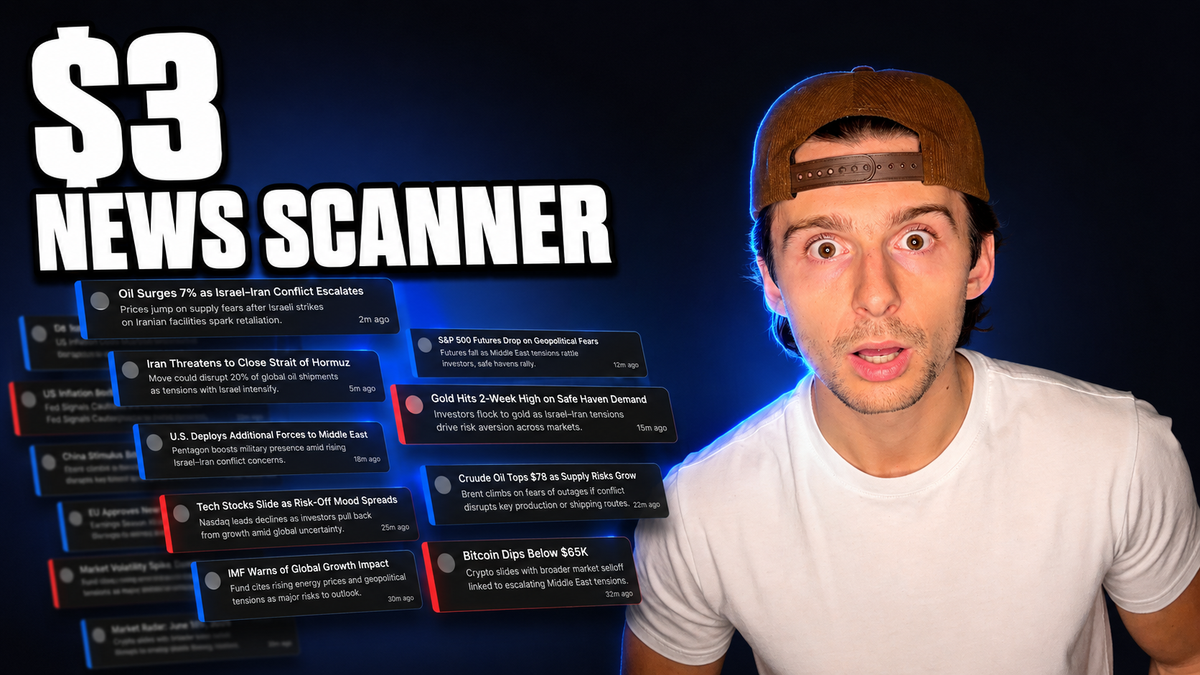
Want a live stock market news feed that automatically pulls in every tweet from the accounts you actually care about — without paying for an expensive terminal? You can build a real-time stock news feed in Discord for roughly $3 per month (about $2.50 if you're grandfathered into older pricing) using a simple tool called TweetShift.
The setup takes only a few minutes: create a Discord server, connect TweetShift, and choose which X (Twitter) accounts to follow. From that point on, every post from those accounts lands automatically in a dedicated channel you can check whenever you want.
This is exactly the system behind the news feed in the TC Trading Discord server, and this guide walks through the full setup step by step — plus who this approach is right for, and who should look elsewhere.
Table of Contents
- Key Takeaways
- What This Stock News Feed Actually Is
- Who This Setup Is (and Isn't) For
- Prerequisites / What You'll Need
- Step-by-Step Guide
- TweetShift Pricing: What Does It Cost?
- Tips & Best Practices
- Common Mistakes to Avoid
- FAQ
- Conclusion
Key Takeaways
- You can build a real-time stock news feed in Discord for about $3/month using TweetShift — no expensive news terminal required.
- The system automatically forwards every tweet from the X (Twitter) accounts you choose into a dedicated Discord channel.
- The paid TweetShift plan supports up to 400 feeds, far more than most traders will ever need.
- This setup is ideal for swing traders who want a quick pulse on market news, earnings updates, and macro events.
- It is not recommended for traders who depend on up-to-the-second news for data releases or small-cap catalysts — dedicated (more expensive) news feeds are better for that.
- You can keep the server completely private for yourself, or add the feed as a feature for subscribers in an existing community server.
What This Stock News Feed Actually Is
The core idea is simple: instead of scrolling X all day or paying for a professional news service, you route the accounts you trust into one clean Discord channel.
A tool called TweetShift watches the X accounts you select. Every time one of them posts, the tweet is automatically sent into a channel in your Discord server — for example, a channel called "live market news."
Keep that channel open in a separate tab on the side of your screen, and any time you want a pulse on what's going on — market news, earnings updates, geopolitical headlines — you get a very good glimpse at a glance. You don't have to actively monitor it; it's simply there whenever you want to check in.
Who This Setup Is (and Isn't) For
Being honest about the limitations matters here, because this feed is a great fit for some traders and a poor fit for others.
This setup is great for you if:
- You're a swing trader who doesn't need news the instant it breaks.
- You want a low-cost way to keep a pulse on the overall market — earnings, macro events, big headlines.
- You already run a Discord community and want to add a news feed as a feature for your subscribers.
- You just want a private, personal news dashboard that nobody else ever needs to see.
This setup is NOT for you if:
- You rely on up-to-the-second news to trade — scheduled data releases, earnings reports, or breaking news on small-cap stocks.
- You're feeding news into AI systems or automations where latency genuinely matters.
For those speed-critical use cases, the news feeds you're looking for are more expensive — but if you know what you're doing, they can be worth the cost. A $3/month tweet forwarder is simply not built for that job.
Prerequisites / What You'll Need
- A Discord account (free) — and a server you own, or admin permissions in an existing one.
- A TweetShift account (free to create at tweetshift.com; you can log in with Discord).
- A short list of X (Twitter) accounts you want to follow for market news.
- Budget: roughly $2.99/month for the paid plan (a free tier exists with limitations, and annual pricing is cheaper).
- Time estimate: about 10–15 minutes for the full setup.
- Skill level: beginner — no coding or technical experience required.
Step-by-Step Guide
Step One: Create Your Own Discord Server
You don't need an audience for this — no one else ever has to join your server.
- Open Discord and create an account (or log in).
- Click Add a Server.
- Choose Create My Own.
- Give it a name, add a picture, and you're done.
That's it — you now have your own Discord server, even if it's just for you.
Step Two: Make a Dedicated News Channel
Inside your server, create a text channel specifically for your feed — something like "live market news."
Keeping the news in its own channel keeps everything clean. All incoming tweets from the accounts you follow will land here automatically, and you can open this tab whenever you want a quick read on the market.
Step Three: Create a TweetShift Account and Connect Your Server
- Go to tweetshift.com.
- Create an account — you can log in directly with Discord, which makes the connection seamless.
- Once connected, your Discord server will appear in the TweetShift dashboard.
Important: you must have administrator permissions in the server you want to manage. Without admin rights, the server won't be manageable from the TweetShift dashboard.
At first, your feed list will be empty. That's expected — the next step fills it in.
Step Four: Add the X Accounts You Want to Follow
This is the heart of the whole system.
- Find an account on X that consistently posts the market news you want — for example, a dedicated market news feed account.
- Copy its username and add it in the TweetShift dashboard.
- Choose which channel the feed should post in — select your live market news channel.
- Decide whether to include quote tweets, retweets, and replies.
- Configure notifications — setting it to "don't ping" keeps things quiet, or enable pings if you want an alert every time a specific account posts.
TweetShift also lets you add filters, move feeds between channels, and edit settings at any point, so nothing is locked in.
Repeat for every account you want. On the paid plan you get 400 available feed slots, so even three feeds barely scratches the surface.
Step Five (Alternative): Add Feeds with the Follow Command
There's a second way to set this up entirely inside Discord — no dashboard required.
- When you search for TweetShift, you'll also find its Discord app link. Click Add App to install it directly into your server.
- Inside your server, type the /follow command.
- Fill out the prompts, which mirror the dashboard settings:
- Ping: don't ping anyone (or choose who gets notified)
- Reposts: yes, include them
- Links: include them
- Channel: your live market news channel
- Feed source: the @username of the X account — go to the account, copy the handle, and paste it in
- Press Enter to confirm.
The feed may take a few minutes to activate, but from then on, every time that account posts, the tweet is logged automatically in your channel.
TweetShift Pricing: What Does It Cost?
| Plan | Price | Notes |
|---|---|---|
| Free | $0 | Available, but comes with limitations |
| Standard | $2.99/month | 7-day free trial; enough for most traders |
| Premium | $10/month | 7-day free trial; annual pricing available |
For a personal market news feed, the $3/month plan is probably all you need — and the effective cost drops further if you pay annually. Long-time subscribers may be grandfathered into older pricing (around $2.50/month), which is how this exact setup has run for a couple of years.
Compared to professional news terminals, this is about as cheap as a functional real-time stock news feed gets.
Tips & Best Practices
- Curate ruthlessly. If an account turns out to be low quality, remove it and find a better one. The feed is only as good as the accounts feeding it.
- Watch for overlap. Many market news accounts post essentially the same headlines. If you follow several, expect duplicates — trim down to the ones you genuinely like.
- Keep pings off by default. A constant stream of notifications defeats the purpose of a calm, glanceable feed. Enable pings only for accounts whose posts you truly can't miss.
- Use a separate tab or window. Keeping the channel docked on one side of your screen turns it into a passive dashboard you check on your own schedule.
- Make it a subscriber perk. If you already run a community Discord, a live market news channel is an easy, low-cost feature to offer members.
Common Mistakes to Avoid
- Using this for speed-critical trading. If your strategy depends on being first to a data release or a small-cap catalyst, this is not the right tool — dedicated paid news feeds exist for that.
- Forgetting admin permissions. You can't manage a server in TweetShift without administrator rights in that server.
- Following too many overlapping accounts. More feeds does not mean more information — it often just means the same headline three times.
- Expecting instant activation. New feeds can take a few minutes to start posting. Give it a moment before assuming something is broken.
- Overpaying for features you don't need. For a personal news feed, the cheapest paid tier covers virtually every use case.
FAQ
What is TweetShift?
TweetShift is a service that connects X (Twitter) accounts to Discord. Every time a followed account posts, the tweet is automatically forwarded into a Discord channel of your choice.
How much does a Discord stock news feed cost?
About $2.99/month on TweetShift's standard plan, with a 7-day free trial. There's also a free tier with limitations and a $10/month premium tier, and annual billing lowers the cost further.
Do I need other people in my Discord server?
No. You can create a brand-new server just for yourself — nobody else ever has to join or even know it exists.
How many X accounts can I follow?
The paid plan includes 400 feed slots. Most traders only need a handful of well-chosen accounts.
Is this fast enough for day trading breaking news?
Not really. If you rely on up-to-the-second news — data releases, earnings, small-cap catalysts — you should use a dedicated (more expensive) professional news feed instead. This setup is best for swing traders who want a general pulse on the market.
Can I control what gets posted in my feed?
Yes. You can choose whether to include quote tweets, retweets, replies, and links, add filters, and decide whether the bot pings you when new posts arrive.
What is the /follow command?
It's TweetShift's in-Discord setup method. After adding the TweetShift app to your server, type /follow, fill in the ping, repost, link, channel, and feed-source options, and the feed is created without ever opening the web dashboard.
What if an account I follow turns out to be low quality?
Just delete the feed and add a different account. The whole system is fully customizable, and swapping sources takes seconds.
Conclusion
For a few dollars a month, you can have a dedicated real-time stock news feed living quietly in your own Discord server — automatically collecting every post from the market news accounts you trust, ready whenever you want a pulse on earnings, macro events, and headlines.
The recipe is simple: create a free Discord server, add a live market news channel, connect TweetShift, and follow the accounts that matter to you. Whether it's a private dashboard just for you or a value-add for subscribers in your community, the result is the same — curated market news on your terms, without the terminal-sized price tag.
Ready to build yours? Set aside 15 minutes, spin up a Discord server, and connect your first feed today. And if you have any questions about the setup, drop them in the comments on the TC Trading YouTube video — and subscribe so you don't miss the next tool breakdown.
Watch the full video here: