Kalshi Tutorial For Beginners (2026 Step-By-Step Guide)
Complete Kalshi tutorial for beginners — how to sign up, fund your account, place trades, exit early, and understand Kalshi fees in 2026.

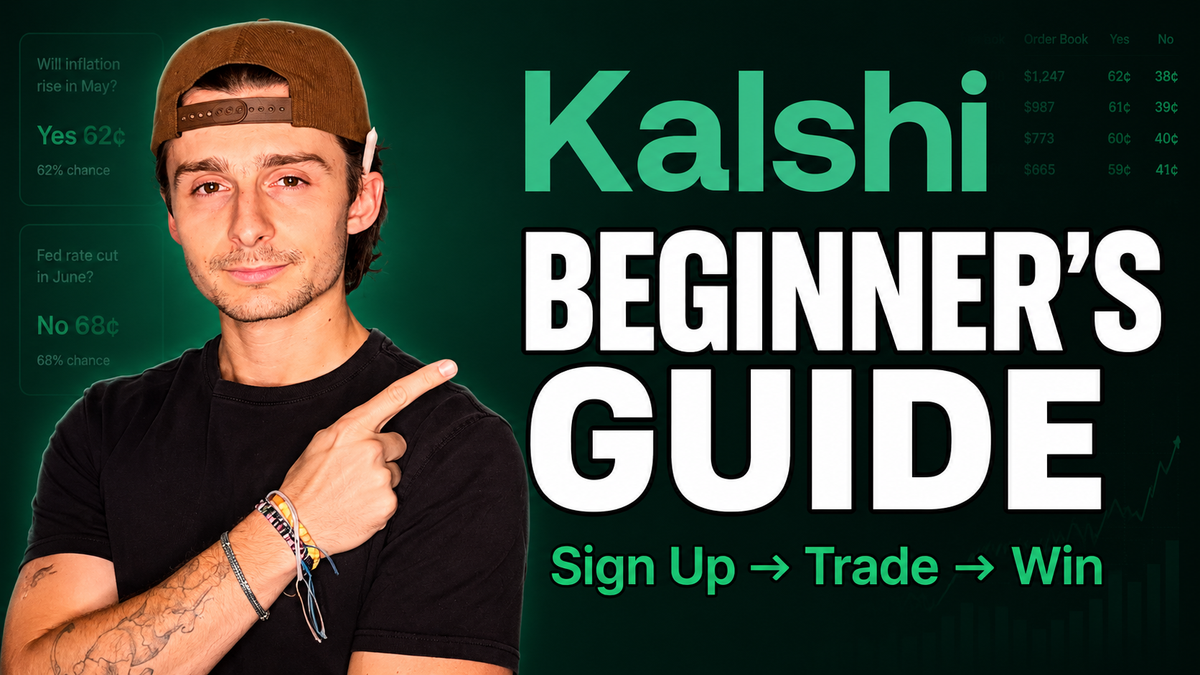
Kalshi just crossed $178 billion in annualized trading volume as of May 2026, making it the biggest legal prediction market in the United States. You can trade Fed rate decisions, election outcomes, sports games, even the high temperature in a city on a given day — anything that resolves as a clean yes or no question.
If you've been curious about prediction markets but didn't know where to start, this Kalshi tutorial for beginners walks you through the whole platform: signing up, funding your account, placing your first trade, exiting a position, and the fee structure (which is genuinely confusing the first time you look at it).
By the end of this article you'll know exactly how Kalshi works, how to actually use it without overpaying in fees, and the small things — like maker vs taker orders and the 3.25% interest on idle cash — that most beginner guides skip entirely.
Key Takeaways
- Kalshi is a federally regulated prediction market exchange overseen by the CFTC, the same agency that regulates futures and commodities.
- Every Kalshi contract is a yes/no question that settles at $1.00 if the outcome happens or $0.00 if it doesn't — your downside is capped at what you paid.
- Idle cash in your Kalshi account currently earns 3.25% interest, similar to a high-yield brokerage sweep.
- The maximum fee you'll ever pay is roughly 1.75 cents per contract, with contracts near 50/50 odds costing the most and heavily favored contracts costing under a penny.
- Market orders cost roughly 4x more than limit orders because of Kalshi's maker/taker fee structure — using resting limit orders saves a meaningful amount over time.
- Kalshi is legal at the federal level but currently restricted in Arizona, Illinois, Massachusetts, Maryland, Michigan, Montana, Nevada, New Jersey, and Ohio as of filming — that list is actively changing in court.
What Is Kalshi?
Kalshi is a federally regulated prediction market exchange overseen by the CFTC — the same regulator that oversees futures and commodities. Every market on the platform is structured as a binary yes/no question with a price attached.
The mechanics are simple. Each contract trades between $0.00 and $1.00. If the event you bet yes on actually happens, your yes contract settles at $1.00. If it doesn't happen, it settles at $0.00. Same logic in reverse for the no side. Between now and expiration, the contract price moves based on the perceived probability of the outcome — exactly like a stock, except the floor and ceiling are fixed.
It's similar to options trading in spirit, but without the unlimited upside or open-ended downside. You can't lose more than you put in, and you can't make more than $1.00 per contract. It's a clean, binary outcome.
Is Kalshi Legal In Your State?
Kalshi is legal at the federal level and available in most US states. As of filming, the following states currently restrict access while Kalshi and state regulators continue fighting it out in court:
- Arizona
- Illinois
- Massachusetts
- Maryland
- Michigan
- Montana
- Nevada
- New Jersey
- Ohio
That list is actively changing, so check it before signing up. If you're in a restricted state, Kalshi will flag it during the signup flow — you won't get all the way through account creation only to be stuck.
Prerequisites: What You'll Need
- A US-based residence in a state where Kalshi is currently allowed
- Valid government ID for the verification step
- A bank account, debit card, or alternative payment method to fund the account
- About 10 minutes for signup, verification, and your first deposit
How To Sign Up For Kalshi
- Go to the Kalshi homepage and click the Sign Up button in the top right corner.
- Choose to create an account with Google, Apple, or email — pick whichever you prefer.
- Complete the standard identity verification steps Kalshi prompts you through.
- Once verified, you'll land on the main markets page with full access to deposit funds and start trading.
The signup flow is intentionally low-friction. It looks and feels like any modern fintech onboarding, and most people get through it in just a few minutes.
How To Fund Your Kalshi Account
Once your account is created, there are three different routes to the deposit screen, all of which land in the same place:
- Click the hamburger menu in the top right and select Add Funds
- Click your cash balance in the top of the dashboard
- Go to your Portfolio page and click the Deposit button
From the deposit screen, you'll choose a funding source. This is the part most beginners get tripped up on, because the fees vary significantly depending on the method:
| Funding Method | Fee | Notes |
|---|---|---|
| Connected bank account (ACH) | 0% | $500 daily max deposit, free withdrawals back to same account |
| Debit card | Up to 2% | Faster but adds up quickly on larger deposits |
| Google Pay / Venmo / PayPal | Varies | Daily caps and fees apply per method |
| Crypto / wire transfer | Varies | Better for larger size if you need to exceed bank limits |
For most people, connecting a bank account is the smartest move. Zero processing fees, and withdrawals back to that same account are significantly faster. Debit card, Google Pay, and credit card options look enticing for the convenience, but the fees and daily caps make them a worse default.
One additional perk worth knowing: idle cash in your Kalshi account currently earns 3.25% interest. So even before you place a trade, your deposit isn't sitting there doing nothing.
Understanding Kalshi Markets
Before you start placing trades, it helps to understand exactly what you're looking at on a market page.
Every Kalshi market is a yes/no question. On the market page, you'll see a chart showing the probability over time, the current yes and no prices, the bid/ask depth, and a live activity feed showing what other traders are doing. There's also a chat feature for that specific market if you want to see what people are discussing.
A concrete example. Say you're looking at the PGA Championship winner market. Scotty Scheffler is trading at 21 cents. That means the market is currently pricing in a 21% chance he wins. If you buy yes at 21:
- If Scheffler wins → your contracts settle at $1.00 each (profit of about 79 cents per contract minus fees)
- If he doesn't win → your contracts settle at $0.00 (you lose what you paid)
The price will move continuously between now and the tournament finish based on how he's actually playing. That's the part that makes prediction markets different from a traditional sportsbook — you don't have to ride the trade to the final whistle.
The Activity Filter Trick
On any market page you'll find an Activity tab showing live trades coming in. You can set a minimum trade size — say, $10,000 — to filter out the noise and see what larger participants are doing. It's a quick way to read where serious money is positioning, especially on macro markets like Fed decisions and elections.
How To Place Your First Trade On Kalshi
- From the homepage, browse to a market you're interested in and click into it.
- If it's a multi-outcome market (like the PGA Championship), scroll down to More Markets and pick the specific outcome you want to trade.
- Decide your side: click Yes at the current ask price, or click Sell on the no side (functionally the same trade).
- Choose between a market order or limit order from the dropdown.
- If buying in dollars, just type the dollar amount you want to invest — Kalshi tells you exactly how many contracts that buys you and what the payout would be if you're right.
- If using a limit order, you have to enter the number of contracts and your desired limit price in cents.
- Click Review, confirm the details, then Submit.
That's the whole flow. The market order route is the fastest — you're in immediately at the current ask. The limit order route is more patient but cheaper, which we'll get into in the fees section.
Market Order Vs Limit Order On Kalshi
- Market order: Get me in (or out) right now at whatever the best available price is. You pay the higher taker fee.
- Limit order: I'll get in (or out), but only if the price hits exactly what I set. Resting limit orders help make the market and pay the lower maker fee — roughly 4x cheaper than a market order.
For limit orders, you can also set Good Till Cancelled (GTC) or choose a different expiration window. GTC keeps the order live until it fills or you cancel it manually.
How To Exit A Position Early On Kalshi
This is one of the things that makes Kalshi materially different from a traditional sportsbook. You don't have to hold a position to settlement — you can sell at any time, just like a stock.
- Go back to the market your position is in.
- Click on the outcome you currently hold.
- Switch the order ticket to the Sell side.
- Choose how many contracts to sell and set your limit price (in cents).
- Click Review and Submit.
Concrete example: you bought 153 yes contracts on Scheffler at an average of 18.4 cents. If you decide you'd rather lock in profit if the probability spikes, you can set a sell limit at 90 cents. If Scheffler takes the lead and the market repriced his probability to 90%, 100 of your contracts auto-sell at 90 cents and the remaining 53.85 stay on for full settlement at $1.00 if he goes on to win.
This flexibility is huge. It lets you trade momentum swings — football game flow, intraday political news, weather shifts — instead of being locked into a single binary outcome.
Kalshi Fees Explained
Kalshi's fee structure is the part of the platform they don't put front and center. You have to scroll to the bottom of the homepage and click Fee Schedule to find it, and even then it's not immediately obvious how it works. Here's the plain-English version.
Maker Fees Vs Taker Fees
Kalshi uses a maker/taker structure, similar to crypto exchanges.
- Maker fees apply to resting limit orders — you're helping make the market and provide liquidity, so you pay less.
- Taker fees apply to market orders — you're taking liquidity off the book, so you pay more.
Functionally, a market order costs roughly 4x as much as a limit order on the same contract. If you're trading frequently, defaulting to limit orders saves a meaningful amount.
How Contract Price Affects Fees
This is the counterintuitive part. The fee per contract isn't flat — it scales with how uncertain the market is.
- Contracts priced near 50 cents (50/50 odds) cost the most in fees — up to about 1.75 cents per contract.
- Contracts where one side is heavily favored — say 90 cents on yes — cost less than a penny per contract.
The logic: uncertainty maxes out at 50%. A 5% market isn't actually uncertain — the no side is at 95%, so the market is fairly confident in the outcome. The 50/50 markets are where genuine uncertainty lives, and that's where Kalshi charges the most.
The practical takeaway: a Fed market trading around 50 cents per contract will cost you about 1.75 cents in fees. A heavy-favorite sports market at 90 cents will cost you under a penny.
Other Kalshi Fees
- Settlement fees: None
- Membership fees: None
- ACH deposits and withdrawals: Free
- Debit card deposits: Up to 2%
Tips For Getting Started On Kalshi
Start With What You Already Know
Kalshi has thousands of markets. The fastest way to get comfortable is to start in a category you already follow closely — sports, politics, weather, macro — rather than trying to learn the platform and a new topic at the same time. If you watch golf every weekend, golf markets are a natural entry point. If you follow Fed policy, the macro contracts are.
Trade Small Until You Know The Mechanics
Five contracts. Ten contracts. A hundred contracts at most. Get familiar with the order ticket, how fills work, what early exits look like, and how settlement actually moves in your account before you size up. The mechanics matter more than the conviction on your first ten trades.
Default To Limit Orders
Given that market orders cost roughly 4x more in fees, defaulting to limit orders saves real money over the long run — especially if you trade frequently or in size. Use market orders when you genuinely need to get in or out immediately. Use limits the rest of the time.
Use Stocks Knowledge On Non-Stock Markets
One of the underrated angles here: Kalshi has contracts on the live price of Bitcoin and the S&P 500 by a certain time on a certain day. If you already trade those instruments, you can use the same analysis on a market that prices things differently — which can surface opportunities your usual approach doesn't.
Frequently Asked Questions
Is Kalshi legit?
Yes. Kalshi is a federally regulated prediction market exchange overseen by the CFTC — the same agency that regulates futures and commodities trading. It is legal at the federal level in the United States.
How does Kalshi make money?
Kalshi makes money primarily through trading fees on every contract bought and sold. The fees use a maker/taker structure where market orders (taker fees) cost roughly 4x more than resting limit orders (maker fees), with a maximum of around 1.75 cents per contract on the most uncertain markets.
How much can you make on Kalshi?
Each Kalshi contract settles at either $1.00 or $0.00. Your maximum profit per contract is $1.00 minus what you paid to enter, and your maximum loss per contract is what you paid. Your total upside scales with how many contracts you buy and how favorable your entry price is relative to the actual outcome.
How long does Kalshi take to settle?
Kalshi typically takes about 2 hours at worst to settle a contract after the event resolves. In practice, settlement is often faster — sporting events frequently settle within minutes to an hour. Certain markets with delayed official outcomes may take longer.
What states is Kalshi not available in?
As of filming, Kalshi is currently restricted in Arizona, Illinois, Massachusetts, Maryland, Michigan, Montana, Nevada, New Jersey, and Ohio. This list is actively changing as Kalshi and state regulators continue to fight the issue in court, so check the current restrictions before signing up.
Do you earn interest on Kalshi?
Yes. Idle cash in your Kalshi account currently earns 3.25% interest, similar to a high-yield brokerage sweep account. Your funds earn interest while sitting in the account and not deployed into open positions.
Can you sell a Kalshi position before it expires?
Yes. Unlike traditional sports betting, Kalshi contracts can be sold at any time before settlement — just like a stock. You can set a limit order to exit at a specific price, sell at the current market price, or partially close a position.
What's the difference between maker and taker fees on Kalshi?
Maker fees apply when you place a resting limit order that adds liquidity to the market, and they're cheaper. Taker fees apply when you place a market order that immediately takes liquidity off the book, and they're roughly 4x more expensive than maker fees on the same contract.
Final Thoughts
Kalshi is one of the most interesting platforms in retail trading right now. Federally regulated, $178 billion in annualized volume, thousands of markets across sports, politics, macro, and weather, and a fee structure that — once you understand it — is actually pretty fair. The 3.25% interest on idle cash is a quiet but meaningful perk on top of everything else.
The best way to learn this platform is the same way you learn any new market: start in a category you already follow, trade small until the mechanics feel automatic, default to limit orders to keep your fees down, and pay attention to how prices move relative to the underlying event. Prediction markets reward people who already think probabilistically about the world, and Kalshi gives you the cleanest US-regulated venue to act on that.
If you want to start trading prediction markets on the biggest legal exchange in the US, check out Kalshi. It's the platform I use to trade sports, macro, and event contracts with the fee structure and settlement speed broken down in this guide.